
Building a custom workstation could appear intimidating to those accustomed to flat-pack furniture. Yet, mastering how to build a computer desk with drawers offers distinct architectural advantages over flimsy commercial alternatives. Constructing your own workspace allows you to dictate the height, storage capacity, and overall aesthetic.
To build a computer desk with drawers, you must first measure your available room space and cut your structural plywood to size. The process then requires constructing the drawer base cabinets, mounting the sliding hardware, assembling the drawer boxes, and securing the heavy desktop firmly across the base.
This guide outlines a methodical approach to the entire construction process. Whether you require a heavy-duty gaming setup or a sleek professional writing surface, built-in storage ensures your area remains organized. We will examine the specific tools needed and the exact steps to build a beautiful workstation that could potentially last for generations.
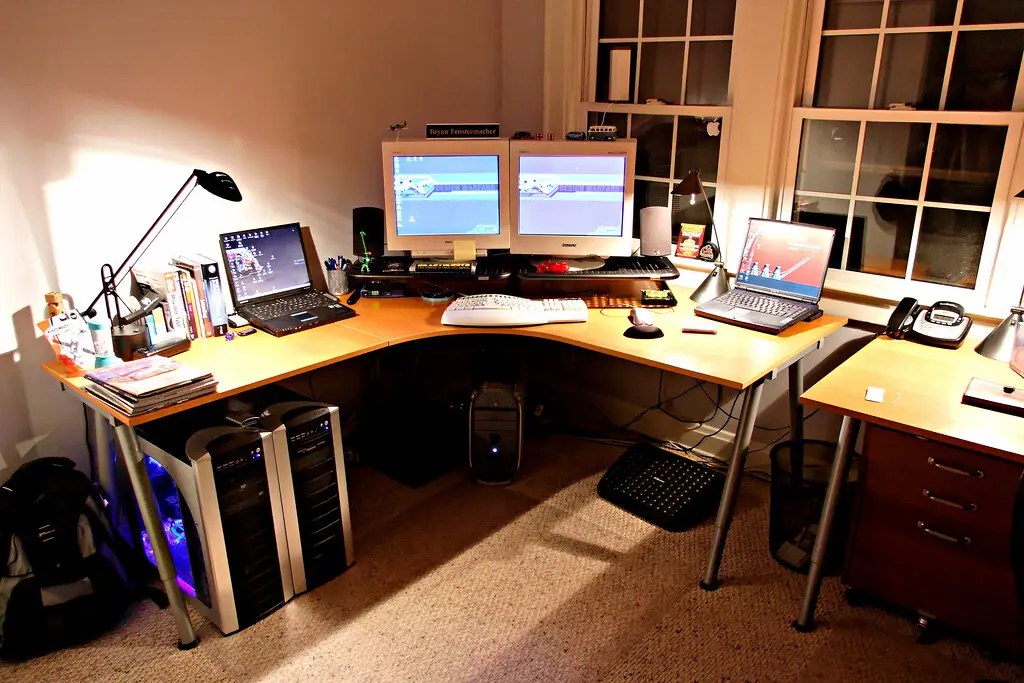
What is a Computer Desk with Drawers?
A computer desk functions as a dedicated structural environment designed to accommodate heavy monitors, keyboards, and complex cable management. The integrated drawers serve a dual mechanical purpose in this specific design. They act as the load-bearing pedestals of the desk while providing essential hidden storage.
Constructing a pedestal-style workstation often represents a significant milestone for amateur carpenters. It moves the builder beyond basic box construction into functional, moving mechanics. This progression serves as an excellent transition from simple beginner woodworking projects to intermediate furniture building.
Why is a Custom Computer Desk Important?
Designing your own workspace presents measurable ergonomic benefits. Standard factory desks typically sit at a uniform height, which might suggest that all human bodies share the same proportions. Building a desk to your specific measurements helps prevent the subtle physical strain associated with poorly fitted workstations.
Built-in storage keeps your immediate environment entirely clear of visual distractions. Wood framing protects sensitive hard drives and electronic equipment from ambient dust accumulation. A desk constructed from high-grade plywood often outlasts particleboard alternatives by several decades.
What Tools and Materials Do You Need?
Required Woodworking Tools
Gathering the appropriate mechanical equipment before starting drastically limits frustration during the assembly phase. You will need a reliable circular saw paired with a straight edge guide to break down large sheets safely. A miter saw proves highly useful for cutting smaller trim pieces accurately.
Assembly demands a powerful drill, an impact driver, and specialized corner clamps to hold pieces securely. A pocket hole jig also simplifies the joining process significantly. We recommend that readers consult a detailed woodworking tools guide if they need advice on purchasing their first impact driver.

Essential Materials
Selecting the correct sheet goods dictates the long-term structural success of your workstation. Three-quarter-inch hardwood plywood usually provides the necessary rigidity for the main cabinet structures and the heavy desktop. Thinner materials may bow under the concentrated weight of multiple monitors.
You must source specific mechanical hardware before beginning the build. This includes full-extension drawer slides, pocket hole screws, wood glue, and your preferred drawer pulls. Exploring different plywood types beforehand helps you select a veneer that matches your intended room aesthetic.
How Do You Plan Your Desk Dimensions?
Ergonomic planning requires calculating the exact distance from the floor to your ideal typing height. Standard desks generally hover around twenty-nine to thirty inches tall. You might find that adjusting this by just half an inch creates a significantly more comfortable working posture.
You must also establish the required legroom clearance between the two drawer cabinets. A minimum void of twenty-eight inches is usually recommended to accommodate a standard rolling office chair comfortably. Narrowing this gap frequently results in a claustrophobic workspace that restricts natural movement.
Desktop depth depends entirely on your specific technological requirements. A depth of twenty-four inches serves laptop users perfectly well. However, individuals utilizing massive dual-monitor setups should consider extending that depth to thirty inches to reduce visual fatigue.
What is the Recommended Cut List?
Organizing your required cuts by component type saves time and severely limits expensive material waste. Grouping similar pieces keeps your physical workflow logical and structured. A standard pedestal desk cut list includes the left cabinet components, the right cabinet components, the internal drawer boxes, the exterior drawer faces, and the desktop panel.
You must always account for the blade kerf when mapping out cuts on a single sheet of wood. The saw blade physically removes a small fraction of material with every single pass. Forgetting this tiny measurement often leaves the final piece slightly shorter than intended.
How to Build a Computer Desk with Drawers: Step-by-Step Guide
Step 1: Measure and Cut the Wood Components
Accurately breaking down heavy plywood sheets requires patience and a rigid straight edge. Attempting to freehand long cuts with a circular saw usually results in wavy, unusable edges. Absolute stability during the cutting phase sets the foundation for tight joinery.
Label every single piece with a small strip of painter’s tape immediately after the saw stops. This simple organizational habit prevents you from confusing a cabinet side with a drawer bottom later. Precision and organization at this stage are non-negotiable.

Step 2: Assemble the Drawer Cabinets
The base cabinets act as the primary structural pillars supporting the entire workstation. Drill pocket holes into the horizontal top and bottom support pieces before applying any adhesive. Wood glue paired with corner clamps creates exceptionally rigid, square cabinet frames.
You must check the internal angles with a framing square repeatedly during assembly. A cabinet that cures slightly out of square will inevitably cause the drawer hardware to bind. Taking your time here prevents massive mechanical headaches down the road.
Step 3: Build the Drawer Boxes
Constructing the internal boxes requires precise measuring so they fit the cabinet openings perfectly. Assemble the half-inch plywood sides, fronts, and backs using glue and simple brad nails. The boxes must remain lightweight yet strong enough to hold heavy office supplies.
Attach the drawer bottoms securely to prevent them from sagging over time. You can route a dedicated groove for the bottom panel to slide into. Alternatively, gluing and nailing the bottom flush against the frame works adequately for standard loads.
Step 4: Install the Drawer Slides
Mounting metal slide tracks inside the cabinet walls demands careful vertical alignment. Using a simple wooden spacer block ensures every track sits at the exact same height on both sides. This method eliminates the need to measure difficult fractions repeatedly.
Attach the corresponding metal hardware to the outside walls of your wooden drawer boxes. Slide the boxes carefully into the cabinet tracks to test the mechanical friction. They should glide smoothly backward and forward without catching or scraping.
Step 5: Mount the Desktop to the Cabinets
Position your heavy desktop panel so it rests perfectly centered over the two base cabinets. You must verify that the overhang is mathematically symmetrical on all exposed sides. This visual balance heavily influences the professional appearance of the completed desk.
Drive wood screws upward through the cabinet top supports directly into the underside of the desktop. This concealed fastening method hides all ugly screw heads from the user’s daily perspective. The workstation should now feel incredibly dense and immovable.

Step 6: Attach the Drawer Faces and Hardware
Mounting the decorative drawer faces requires establishing perfectly even gaps around the perimeter of each panel. Using playing cards or thin coins as temporary shims helps create uniform reveals before driving the final screws. This trick guarantees a highly polished visual aesthetic.
Measure carefully to drill accurate holes for your chosen metal handles or knobs. Pre-drilling these holes prevents the expensive plywood faces from splintering at the very last moment.
Step 7: Final Sanding and Finishing
Preparing the wood for its final protective coat requires moving systematically through progressively finer grits of sandpaper. Reviewing guidelines on sanding wood properly might help you avoid leaving deep cross-grain scratches. Applying iron-on edge banding hides the rough, exposed plywood layers beautifully.
We recommend applying at least three coats of a durable finish to the desktop surface. Reading about various wood finishing techniques can help you select a polyurethane that resists daily coffee spills and mouse scuffs. Allow the final coat to cure for several days before placing heavy monitors on the wood.
What Are Common Desk Variations?
Gaming Desk with Cable Management
Complex electronic setups demand dedicated cable management systems to prevent visual chaos. Adding a hidden wooden tray underneath the back edge of the desktop easily conceals bulky power strips. You could also drill round grommet holes directly through the desktop to route monitor wires cleanly.
Extra-Long Two-Person Desk
Extending the desktop to eighty inches or more accommodates two people working side by side. This massive span requires adding a third drawer cabinet in the exact center for structural support. Without this middle pillar, the long plywood top would inevitably sag under the weight of multiple computers.
Standing Desk with Drawer Base
Combining modern motorized standing legs with custom woodwork creates the ultimate ergonomic setup. You can build a shallow drawer unit that mounts directly beneath the elevating desktop. This hybrid approach offers the health benefits of a standing workflow without sacrificing necessary storage space.
What Are Common Mistakes to Avoid?
Ignoring the specific clearance tolerances required by your drawer slides often leads to disaster. Most standard side-mount slides require exactly one-half inch of empty space on each side of the drawer box. Failing to account for this gap means the drawers simply will not fit into the cabinet.
Another frequent error involves skipping the application of wood glue on structural joints. Relying solely on metal screws might appear sufficient initially, but the desk will inevitably become wobbly over time. Wood glue creates a chemical bond that is technically stronger than the surrounding wood fibers.
What Are the Best Pro Tips for Desk Building?
Cutting a scrap piece of wood to use as a vertical spacer block makes installing drawer slides incredibly efficient. You simply rest the slide on the block, screw it in, and move to the next cabinet side. This method ensures absolute uniformity across every single drawer.
You should also consider applying your chosen finish to the internal cabinet walls before final assembly. Maneuvering a sticky varnish brush inside a cramped drawer cavity proves highly frustrating. Pre-finishing flat components before joining them indicates a superior organizational strategy.
Frequently Asked Questions
What is the best wood for a computer desk?
Hardwood plywood remains the most cost-effective and structurally stable option for large desk panels. Solid hardwoods like walnut or maple offer incredible durability and a premium aesthetic, but they cost significantly more. The choice depends entirely on your specific budget and woodworking experience level.
How wide should the chair opening be?
Twenty-eight inches serves as the standard comfort width for rolling office chairs. This spacing ensures your knees do not bump the interior cabinet walls when shifting positions.
Can I build a desk with basic hand tools?
While technically possible, utilizing only hand tools drastically increases the time required to complete the project. A circular saw and a power drill significantly improve the accuracy of your cuts and joints. Power tools make building square drawer boxes much more achievable for beginners.
Conclusion
Constructing a highly functional workstation requires careful attention to ergonomic dimensions, precise plywood cutting, and accurate hardware installation. Understanding exactly how to build a computer desk with drawers empowers you to reclaim your office space and improve your daily productivity. The major phases involve planning your ideal height, assembling the rigid base cabinets, installing the sliding boxes, and mounting the heavy top.
Taking the necessary time to double-check your drawer slide measurements ensures the final hardware glides effortlessly. This custom approach yields a piece of architectural furniture that factory alternatives simply cannot match in terms of personal utility. We encourage you to start drawing up your specific desk plans today and begin building a workspace tailored entirely to your needs.